How to Use the Golden Spiral (Fibonacci Spiral) in Photography
Learn what the golden spiral is, how it relates to the Fibonacci sequence and the golden ratio, and five practical ways to use it to compose better photos.

Sharif Khaleel
· 3 min read
The golden spiral is the most recognisable composition guide after the rule of thirds, and probably the most misunderstood. People often overlay it on finished photos and declare a match. Used properly, though, it is a genuinely useful tool for leading the eye to a single point.
What is the golden spiral?
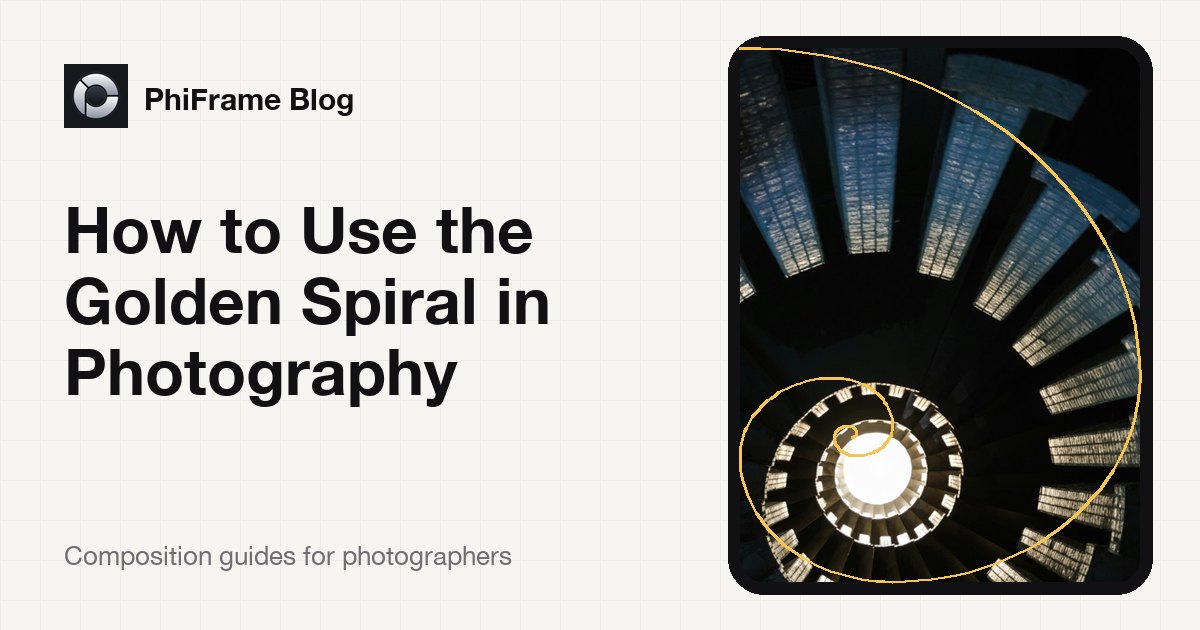
Start with a rectangle whose sides are in the golden ratio (about 1 : 1.618). Cut a square off one end; what remains is a smaller golden rectangle. Cut a square off that, and keep going. Each square is smaller than the last by the golden ratio, and the squares wind inwards around the frame.
Draw a quarter-circle through each square and you get the golden spiral: a smooth curve that sweeps around the frame and tightens towards one point, sometimes called the eye of the spiral.
The Fibonacci spiral is a close approximation built from squares whose sides follow the Fibonacci sequence (1, 1, 2, 3, 5, 8, 13…). The ratio between consecutive Fibonacci numbers approaches 1.618, so in practice the two spirals are nearly identical and photographers use the names interchangeably.
Why the spiral works
Our eyes follow lines, and they follow curves more naturally than corners. A composition that echoes the spiral does two things:
- It gives the viewer a path, a sweeping curve to travel along.
- It gives that path a destination, the tight end of the spiral, where you place your subject.
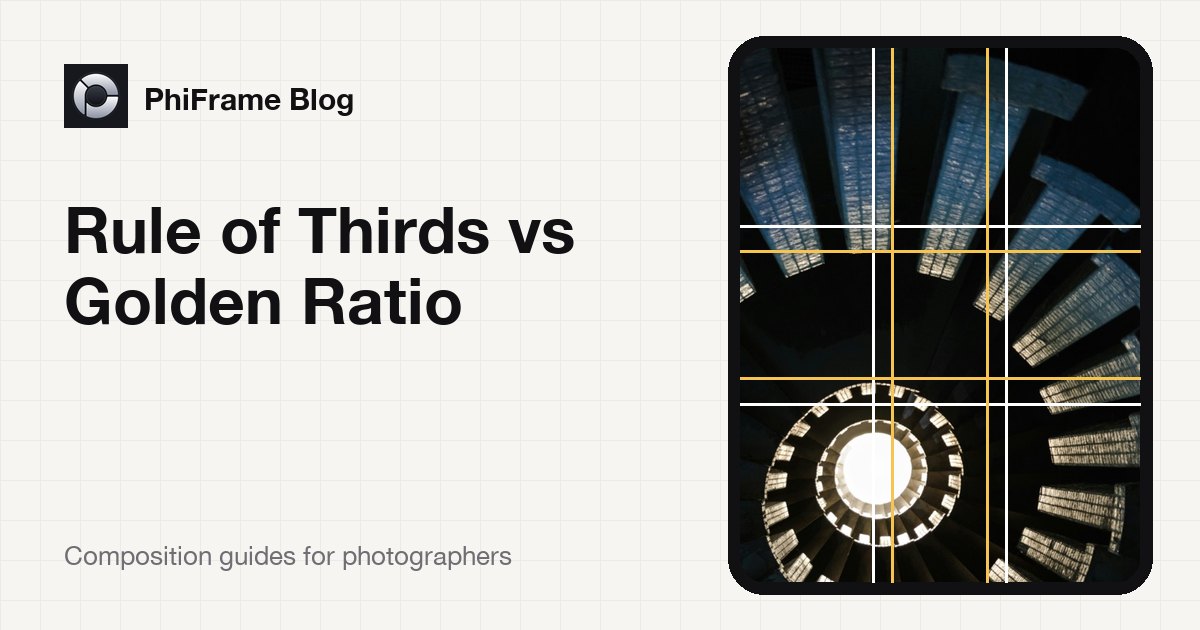
Notice that the eye of the spiral sits very close to an intersection of the golden ratio phi grid. The spiral is essentially a phi grid composition with added movement.
5 ways to use the golden spiral
1. Put the subject at the eye
The simplest use: place your main point of interest, such as a face, a doorway, a flower or a person in a landscape, at the tight end of the spiral. Even if nothing else in the scene follows the curve, the subject sits in a naturally strong position.
2. Follow natural curves
Spiral staircases, shells, waves, winding roads, river bends and curled leaves practically ask for the golden spiral. Line the curve in the scene up with the spiral and let it pull the viewer inward.
3. Portraits: eye at the centre, body along the curve
In portraits, place the subject's nearest eye at the spiral's centre and let the line of the head, shoulders or arm follow the outer sweep. This works especially well in seated or reclining poses.
4. Street photography: a moving subject entering the frame
Position the spiral so its wide end opens into empty space and its tight end sits where your subject will be. Wait for someone to walk or cycle into that point. The background sweep gives the moment context.
5. Match the spiral's direction
A spiral can tighten towards any of the four corners. Choose the orientation that matches the lines already in your scene. If the curve in front of you bends the other way, turn the camera or change your position rather than forcing the composition.
Common mistakes
- Forcing it. Not every scene contains a spiral. If you have to squint to see the match, a simpler grid will usually serve you better.
- Only checking afterwards. Overlaying a spiral in editing tells you whether you got lucky. Seeing it while you shoot lets you make it happen.
- Ignoring the subject. The spiral leads the eye somewhere. If nothing interesting is waiting at the end, the composition falls flat.
Shoot with the spiral on your viewfinder
PhiFrame draws the Fibonacci spiral live on your iPhone camera, alongside the rule of thirds, phi grid, golden triangles, diagonals and a draggable vanishing point. Switch between guides in an instant, keep your photos clean or burn the guide in as a reference, and shoot full-quality photos including ProRAW.